Content Fragmentation: A WordPress Publishing and Measurement Workflow




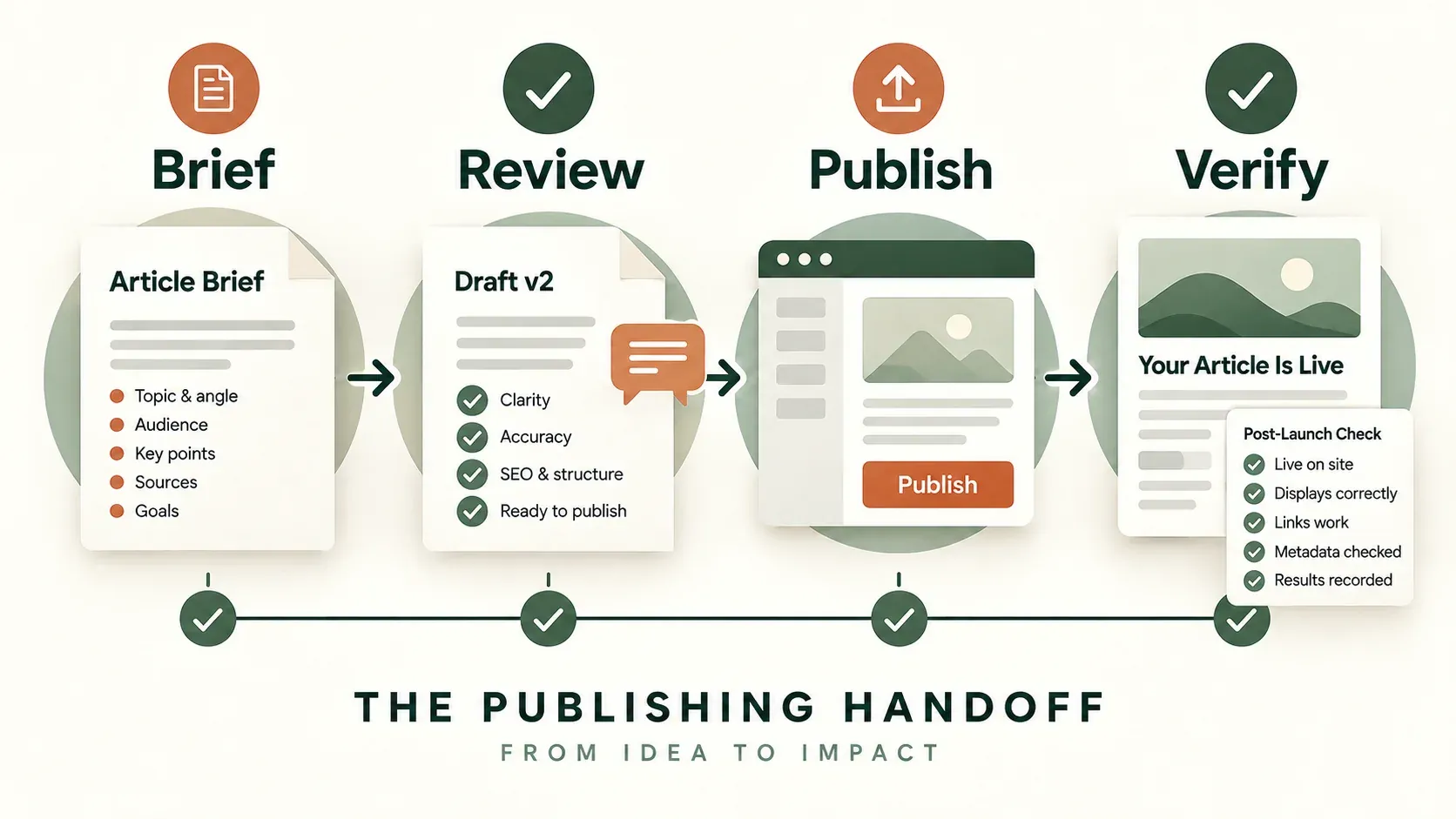
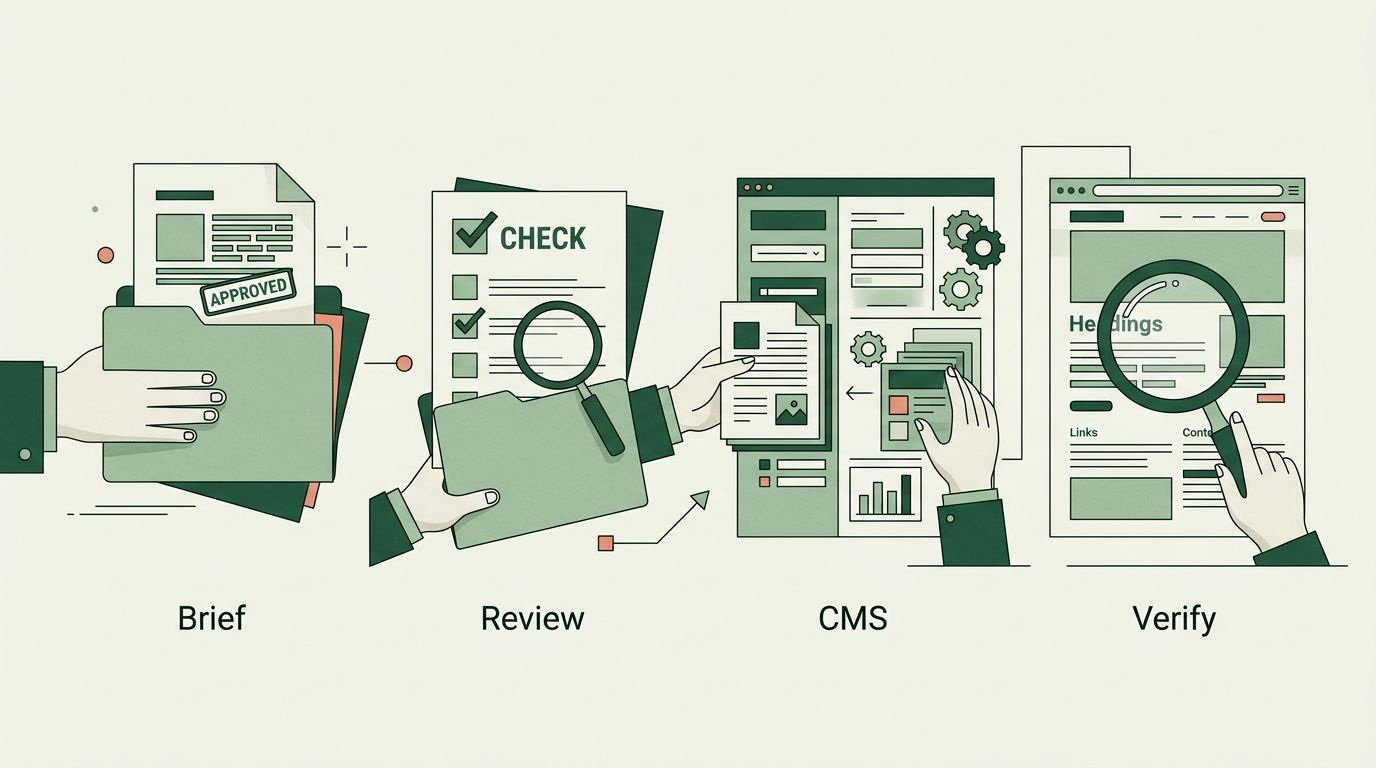
Content fragmentation is not really a tools problem. It is what happens when a brief, a draft, a published page and a performance report each live in a different system, with no single record of who approved what and when. Teams often assume that adopting one shared platform fixes this automatically. It does not. The fix is a workflow that makes each handoff explicit: what data moves between systems, who is responsible for checking it, and what evidence proves the public page actually matches the approved brief.
This guide sets out that workflow for Writegarden's WordPress connector, based on its implementation as reviewed on 22 September 2026. It is written as a setup and verification checklist for editorial teams, not as a claim that any particular customer site has completed a live publishing pilot. Where a step depends on WordPress or a third-party plugin behaving in a specific way, that is flagged so you can verify it on your own installation before relying on it.
1. Define the handoff record before you touch a CMS
Before any content moves between systems, agree what the "approved" version actually contains. At minimum, keep the approved title, the stable slug, the body copy, the excerpt, the featured image and its alternative text together in one place. Record the intended author, category and publication status alongside them, so nobody has to guess.
A recurring failure here is unclear ownership of future edits. If the drafting tool is treated as the single source of truth for the body copy, then editing the same paragraph directly in WordPress after publication creates two competing versions. The next sync from the drafting tool can silently overwrite a manual fix, or a manual fix can be lost the next time someone re-publishes from the source. Decide, in writing, which system owns body edits after the first publication, and communicate that decision to everyone who has WordPress access.
Fictional example: imagine a made-up marketing team at "Northfield Bakery Co." drafting a seasonal recipe article in Writegarden. Before publishing, they agree that Writegarden remains the owner of the body text for the first two weeks after launch, after which editorial control passes to the WordPress editor who handles reader comments and minor corrections. That agreement makes ownership explicit; the team should reconcile the saved versions before any later republish.
For a first pilot, resist the temptation to migrate a whole content calendar at once. Choose one already-reviewed article and one destination site. Once delivery succeeds, record the remote post ID and the final live URL somewhere durable, such as a shared spreadsheet or the brief itself. If you later see a second copy of the article living at a different URL, that is not a successful update of the original post. It is a duplicate, and duplicates need to be resolved, not left online.
2. Connect the intended WordPress site correctly
Inside Writegarden, select the correct client organisation first, then open its WordPress integration settings. This step matters more than it sounds: in an agency workspace with several client sites, connecting the wrong organisation's credentials to the wrong site is an easy and embarrassing mistake, and one that is hard to spot until an article appears on the wrong domain.
The connection form asks for an HTTPS site URL, a WordPress username and an application password. Do not reuse a personal login. Create a credential dedicated to the publishing workflow, tied to an account that has the specific publishing permissions the workflow needs and nothing more. WordPress documents how application passwords work in its REST API authentication guide. They are generated from the WordPress user profile screen and are meant to be used only over HTTPS. Treat them the same way you would treat any other credential: never paste them into article drafts, screenshots, chat messages or shared planning documents where they could linger unnoticed.
Once WordPress accepts the connection, you still need to complete the category-selection step inside Writegarden. This is easy to miss because the connection itself appears to succeed first. The connector remains inactive for publishing until this setup is finished, and choosing no default category is a valid, explicit choice rather than an oversight. Do not assume the integration is ready simply because the credential check passed. Confirm the category setting explicitly, and note it in your handoff record.
Common mistakes at this stage
- Connecting the wrong client organisation's WordPress site, especially in agency accounts managing several domains.
- Reusing an administrator's personal login instead of a dedicated application password.
- Leaving the category-selection step unfinished and assuming the connector is live because credentials were accepted.
- Storing the application password in an unsecured document rather than a password manager.
3. Deliver a draft first and check the actual rendering
The publisher supports both draft and published delivery. Always start with a draft, even if the article has already been through internal review, because the destination theme can render content differently from how it looked during drafting. Check heading structure, table layout, links, byline, category assignment and the featured image directly inside WordPress, not inside the drafting tool's preview.
One rendering issue worth checking specifically: the current connector sends the article summary as the WordPress excerpt field. An excerpt landing correctly in that field is not evidence that an SEO plugin's meta-description field has also been updated. These are separate fields in most WordPress SEO plugins, and one being populated says nothing about the other. After publishing, inspect the rendered page head directly, and configure the destination site's SEO template, or its supported plugin integration, separately if the meta description needs to be set.
Also check for a duplicate H1. If the WordPress theme already renders the post title as an H1 and the imported body also contains a top-level heading repeating the title, the page ends up with two H1 elements. This is a common and easily missed defect when moving content between systems with different assumptions about who owns the title markup.
4. Publish, then verify the public URL against a fixed checklist
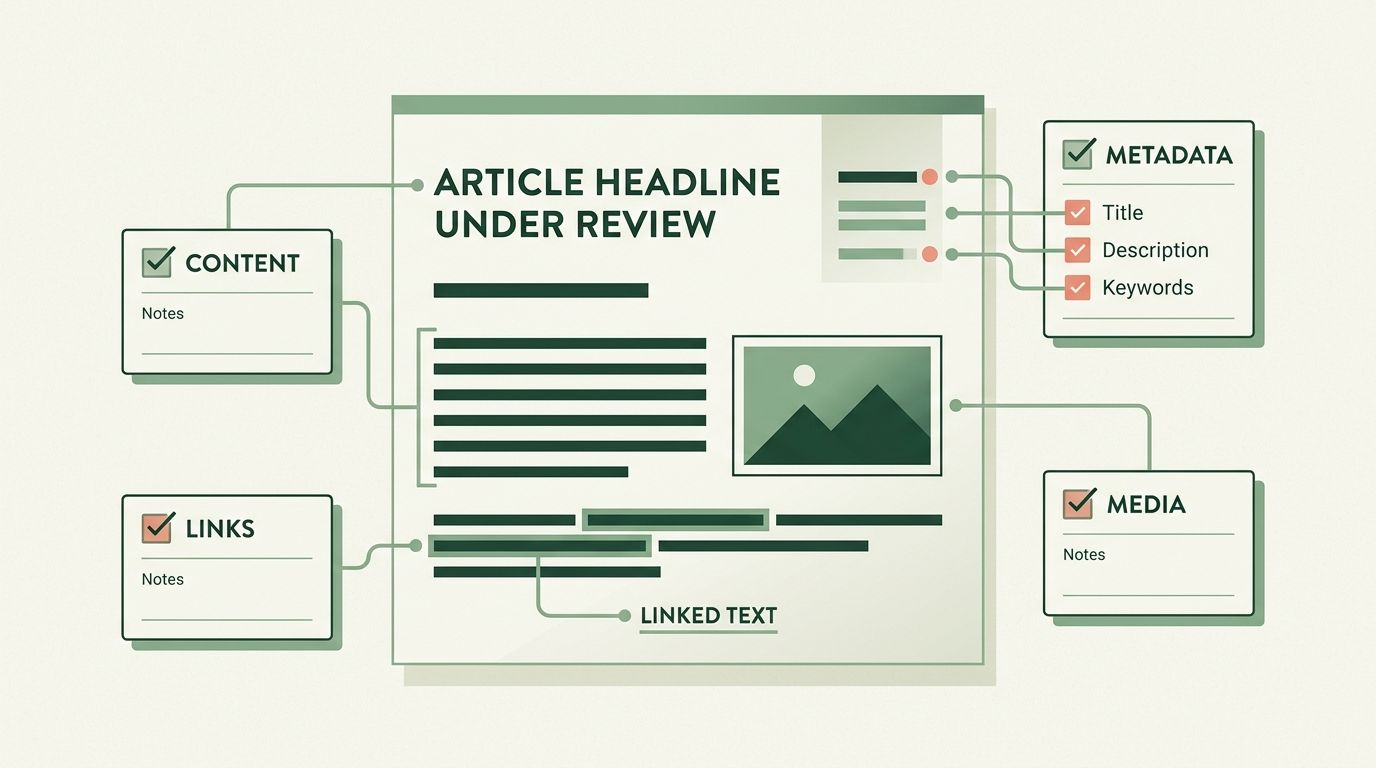
Publishing is not the end of the workflow: it is the point where verification actually matters, because this is what readers and search engines see. Use a fixed checklist every time, rather than relying on memory or a quick visual scan.
| Check | Evidence to keep |
|---|---|
| Delivery | Remote post ID and the intended URL |
| Content | Correct title, body and useful internal links |
| Metadata | Rendered title, description, canonical and robots directive |
| Media | A loading image, useful alternative text and a suitable crop |
| Discovery | Inclusion in the destination's intended sitemap or feed |
| Update | A controlled revision appears on the same post and URL |
If any row in that table fails, correct the problem in the system that owns it, and repeat the check, rather than publishing a second copy of the article to work around an unclear status. A duplicate does not fix an unclear status; it adds a second unclear status alongside the first, and someone eventually has to work out which one is canonical.
If your destination is a Strapi-driven site rather than WordPress directly, be aware that a successful publication inside the CMS may still require a separate, successful website rebuild before the change appears publicly. See the Strapi integration documentation for how that step fits into the workflow.
5. Measure the process itself before claiming any return on investment
Once a handful of articles have moved through this workflow, it becomes tempting to describe the whole exercise as a time or cost saving. Be careful with that claim. What you can measure directly is process data: editorial minutes spent per article, the number of review rounds, the number of failed or duplicated deliveries, and the time spent on corrections, tracked over a defined period. Compare that against the same kind of work done under the previous, more fragmented process, including the setup and checking time this new workflow itself requires.
A shorter or more consistent workflow is a legitimate operational observation on its own. It is not the same thing as a revenue claim. Turning "we published faster with fewer errors" into "this generated more revenue" requires attributable commercial data linking specific published pages to specific business outcomes, which this workflow does not by itself provide.
To keep the surrounding research and measurement work organised, use the content-to-page map to retain the context each article was researched against, and the measurement method to keep any AI-answer visibility observations separate from ordinary search traffic and conversion data. Keeping these threads distinct is what makes a handoff auditable later, without needing to invent a savings percentage that the underlying data does not actually support.
Deciding whether this workflow is worth adopting
This level of process is proportionate when several people touch an article between drafting and publication, when articles are published to more than one WordPress site, or when a past publication has already gone wrong in a way nobody could fully explain afterwards. It is disproportionate for a single author publishing occasional posts to their own site, where a simpler informal check may be enough. Use the checklist above as a starting point and drop steps that genuinely do not apply to your team's size, rather than skipping verification altogether because the full list feels like too much overhead.