Planning SEO and AEO Content Across Agency Client Workspaces




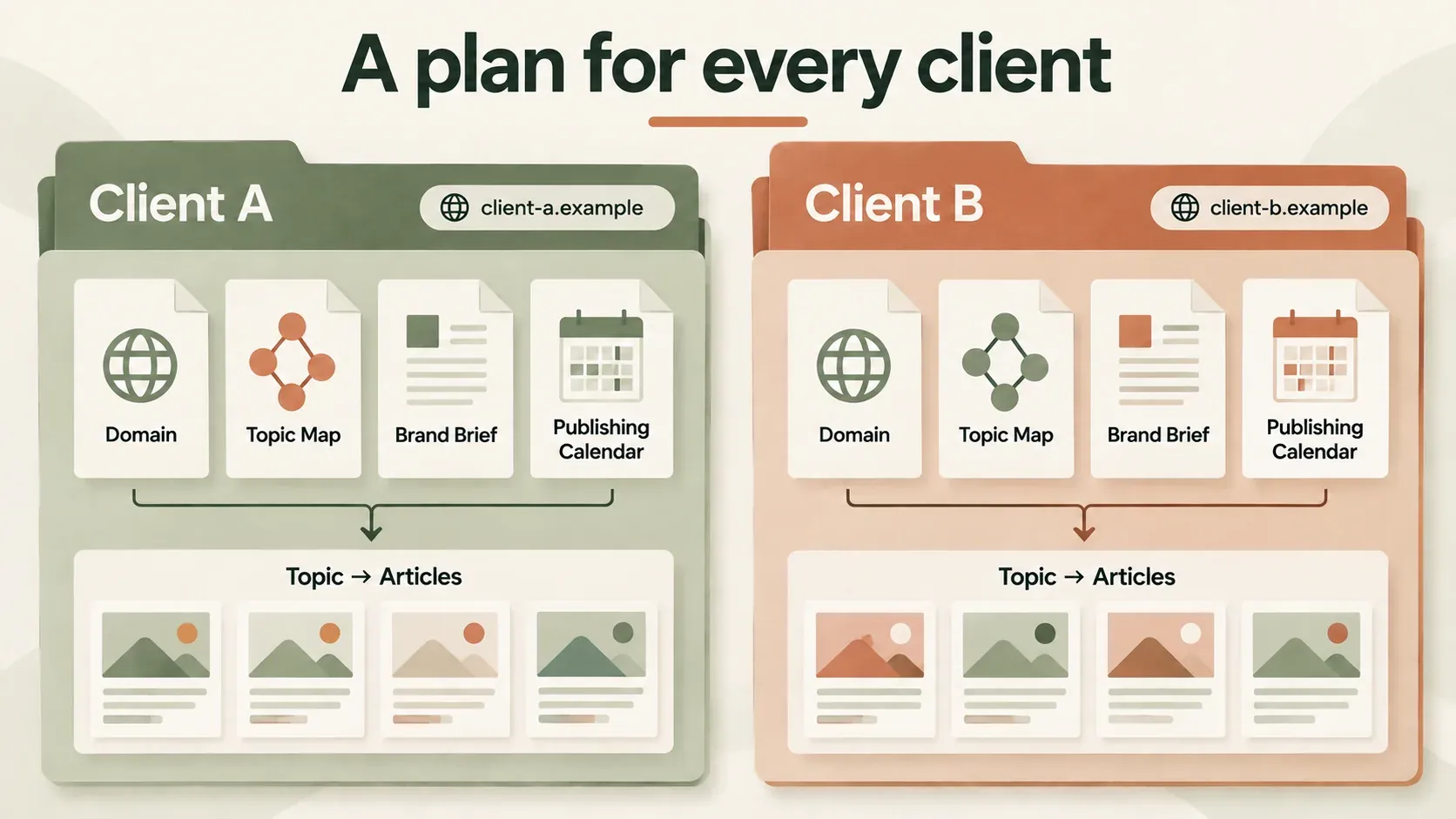
A shared spreadsheet of article ideas is not a content plan. When one agency runs the marketing for several clients at once, the risk is not a lack of ideas but a lack of separation between them. Every brief belongs to one client, one market, one brand voice and one publishing destination, and that context has to stay visible from the moment a topic is proposed to the moment the article goes live. Lose that separation and you end up with a cleaning company's blog quoting a software client's pricing, or a retail brand publishing a checklist written for a service business.
Writegarden organises this work through separate client organisations, each with its own subscription. The workflow described below reflects the organisation selector, business-context settings and integration options as reviewed on 22 September 2026. It describes how the tool is structured, not a promise of a pooled agency plan across clients or a measured outcome for any customer. Treat implementation details in this guide as descriptions tied to the stated review date, and verify them before relying on them for a live rollout.
A two-client planning example
Consider two fictional clients handled by the same agency: a retail inventory-software business and a commercial cleaning business. Both might ask their account manager for "more organic visibility", but that phrase hides two very different readers, two different bodies of evidence and two different next steps. A plan that treats them the same will produce generic content that serves neither.
| Planning field | Inventory client | Cleaning client |
|---|---|---|
| Reader decision | Choose a replenishment method | Assess a cleaning specification |
| Source material | Reviewed calculation and product limits | Approved service checklist and inspection process |
| Useful cluster | Forecasting, reorder points, software evaluation | Site survey, cleaning schedule, quality checks |
| Destination | The inventory client's CMS and domain | The cleaning client's CMS and domain |
| Review owner | Product or operations specialist | Service delivery specialist |
Both businesses in this example are invented for illustration. Do not read this table as a testimonial, and do not imply that either business achieved a particular ranking or traffic result. The point of the example is the method: work out what decision the reader is trying to make, then supply the evidence that decision actually needs.
Common mistakes when planning across client workspaces
Planning failures in a multi-client setup can begin before drafting, when client context gets mixed or skipped.
- Working in the wrong organisation. A brief drafted while the wrong client organisation is active can pull in the previous client's tone, examples or approved claims without anyone noticing until review.
- Reusing one client's proof points for another. A calculation, case example or statistic that was approved for one business is not automatically true, or appropriate, for a second business in a different market.
- Publishing to the wrong destination by habit. When several clients use the same CMS platform, it is easy to select the correct integration type but the wrong collection, category or domain.
- Treating "more content" as the goal. A longer publishing schedule with no reviewer attached to each page produces volume without evidence, which is a liability for AEO as well as SEO.
- Merging performance data across clients. Comparing one client's impressions against another's, or against an industry average with no shared baseline, produces conclusions that do not hold up.
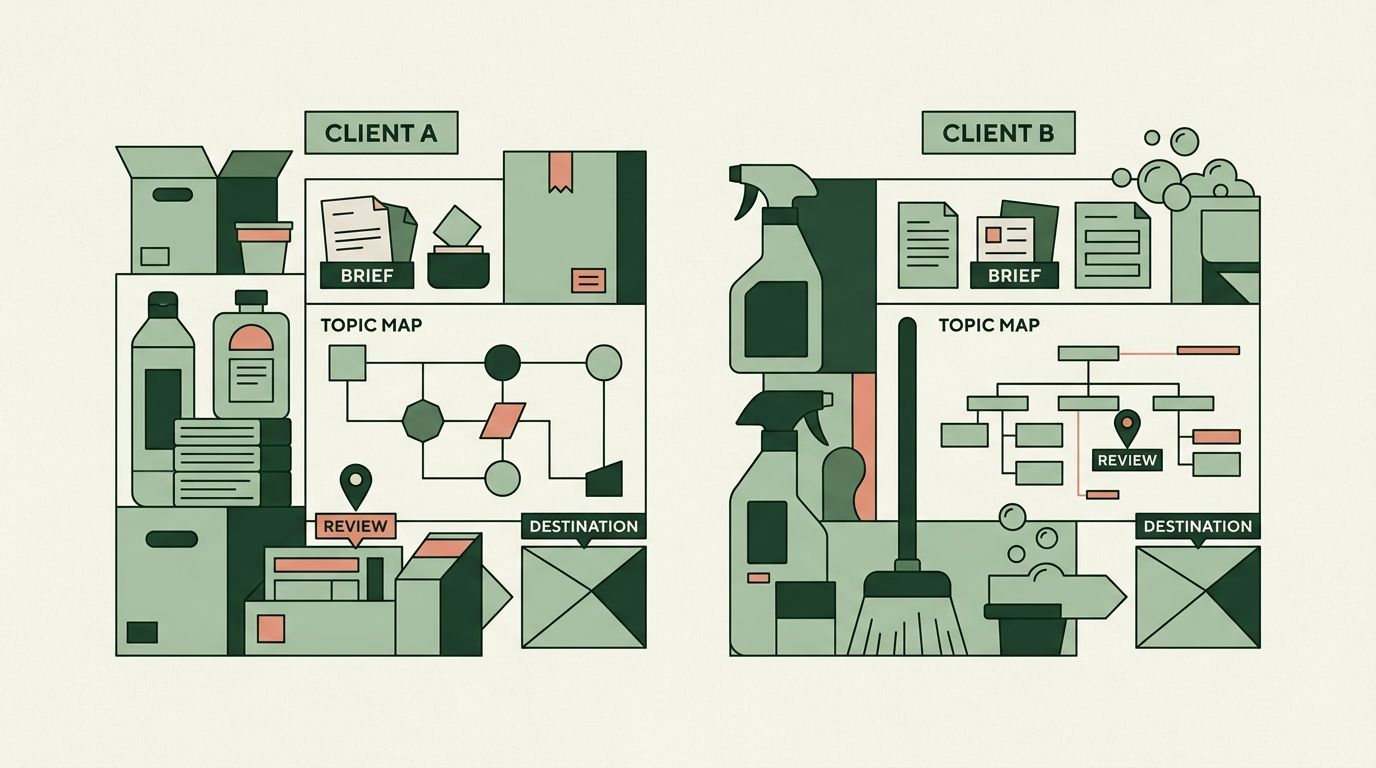
1. Select and verify the client organisation
Before changing any business context, content or integration setting, use the organisation selector and confirm two things together: the organisation name and the website domain. Checking only one can leave a mismatch unnoticed and attach a brief to the wrong client. When switching organisations, save or discard unsaved work deliberately. The product includes a guard for this transition, but a visible warning on screen is not a substitute for actually checking which client you are about to affect.
Once in the correct organisation, review the client's services, audience, market, language and any pre-approved claims before drafting anything. Keep another client's examples, tone and voice guidance out of this record entirely; do not let them bleed across even as "just a placeholder". If a client has no evidence for an outcome they want to claim, the brief should say so and ask for evidence, rather than leaving the writer to fill the gap with invention.
Quick check: before you open a brief template, read back the organisation name and domain out loud (or to a colleague) and confirm it matches the client you intend to work on.
2. Assign one reader task to each page
Use the topic-to-page map to separate explanatory guides, comparison pages and transactional pages rather than letting one page try to do all three jobs. Where two proposed questions overlap closely, map the second one to the existing page instead of creating a near-duplicate. For every planned article, record four things: the primary question it answers, the intended URL, the reviewer responsible for sign-off, and the evidence source it will draw on.
For the fictional inventory client, a sensible sequence is to publish the forecasting guide first, add the reviewed calculation once it exists, and only then connect a comparison page that points to current pricing. This order follows the reader's own decision path; it is not a claim that publishing a specific number of pages, in itself, creates topical authority. Judge the plan by the usefulness and evidence behind its pages rather than treating the number published as proof of authority.
Common mistake: drafting the comparison or "best of" page before the underlying explanatory page exists, which leaves the comparison with nothing solid to link back to.
3. Review the brief before the draft
Before any drafting starts, check whether the question in the brief can actually be answered accurately with the evidence you currently hold. If it cannot, that is a gap to close, not a gap to write around. Ask the subject specialist, whether that is a product manager for the software client or an operations lead for the cleaning client, to confirm technical steps, examples and stated limitations before they appear in copy.
Use AI tools for organising material and drafting from approved inputs, then review the output specifically for two failure modes: unsupported statements that were not in the brief, and mixed client context carried over from a previous session. For answer engine optimisation, make sure the page includes a direct answer that stands on its own, together with enough supporting detail underneath to make it genuinely useful, while still meeting the same page's ordinary SEO requirements. Google's own AI optimisation guide does not turn AI visibility into a guarantee; the underlying task is still to publish distinctive material that actually serves the reader, not to chase a particular format.
Decision criteria: a brief is ready to draft when the question is answerable from approved sources, a named reviewer is assigned, and the client organisation attached to the brief has been double-checked.
4. Check the publishing destination
Before publishing, confirm four things for this specific client: the active integration, the selected collection or category, the publication mode, and the final URL pattern the page will use. WordPress, Webflow and Strapi are enabled in the current production integration gate; note that a connector existing in code is not the same as it being enabled for every customer's account, so verify rather than assume.
Start from a reviewed draft, not a first pass. Follow the WordPress publishing checklist or the Strapi mapping guidance depending on the client's platform, then inspect the actual public page once it is live, not just the preview inside the editor. Keep a record of the remote record ID and the live URL alongside the plan, so that any later edits can be checked against the same article rather than a duplicate or an old draft.
Common mistake: publishing to a staging collection that looks correct in the interface but is not the one connected to the client's live domain.
5. Report each client's evidence separately
Keep search impressions, clicks, qualified enquiries and trial activation for one client entirely separate from another client's figures, and keep sampled AI mentions and citations separate from both. Compare each client only against its own baseline, under matching conditions, rather than against another client or an unrelated industry figure. Use the AI visibility measurement method to document sample coverage and the uncertainty in any AI-mention count, so that a small sample is never reported as if it were a confident measurement.
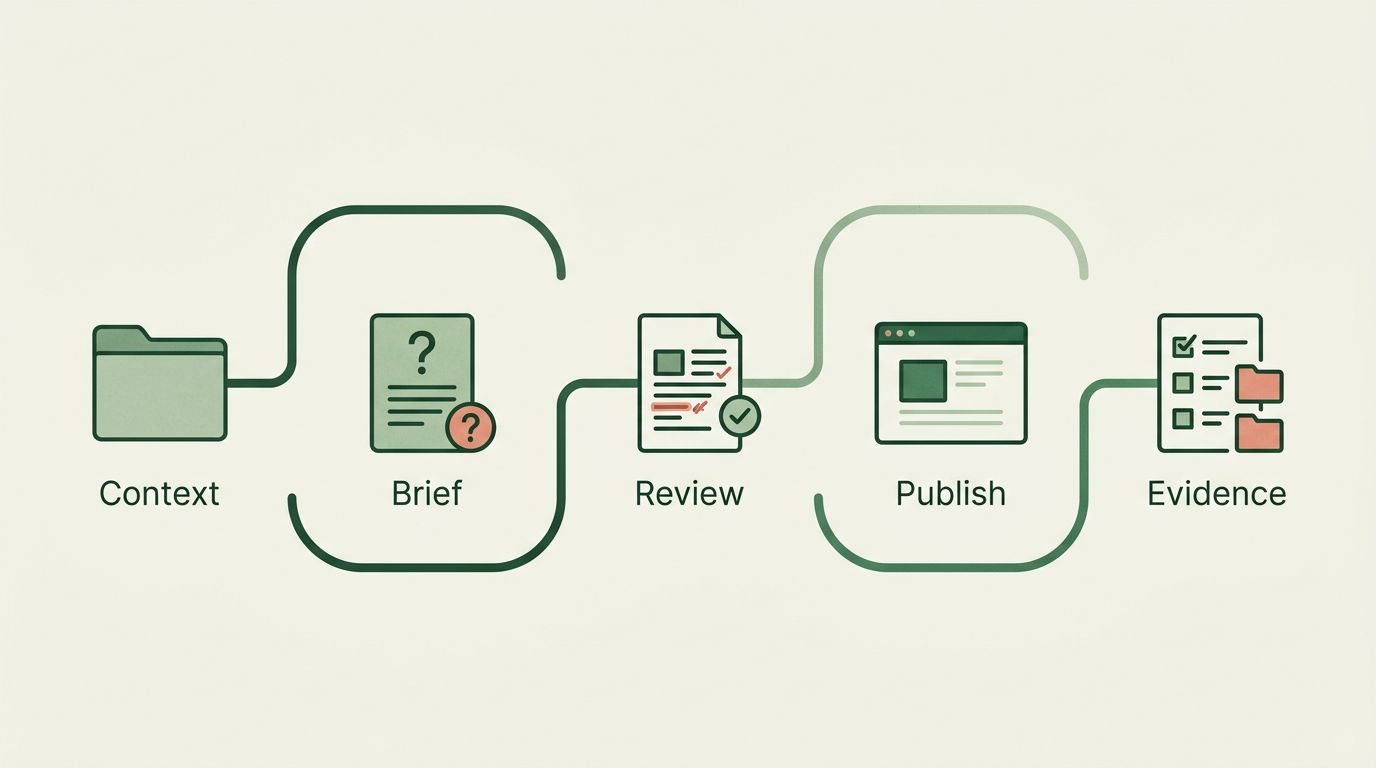
The practical outcome of this whole approach is a traceable line from client context, to brief, to reviewed article, to publishing destination, to evidence, for every single piece produced. That traceability is the operational result. Any commercial or ranking gain still requires actual data collected after publication, measured against that client's own baseline, not assumed in advance.
Decision criteria before you schedule a client's content
Use this as a final check before anything goes on the calendar for a client:
- Is the correct client organisation selected and confirmed by domain, not just by name?
- Does the brief cite evidence that belongs to this client, not a different one?
- Is there exactly one reader task assigned to the page, with no overlap against an existing page?
- Has a named specialist reviewed the technical claims and examples?
- Is the publishing destination, including collection and URL pattern, verified for this client specifically?
- Will this client's results be reported against its own baseline, kept separate from every other client's figures?
If any answer is no, resolve it before drafting or publishing continues. A plan that passes all six checks for every client is what keeps an agency's multi-client workspace accurate rather than merely busy.